
.svg)

Preserve Collaboration Data Confidently with a Single, Defensible Workflow
When litigation or an investigation arises, you need confidence that the right data is protected. Onna’s in-place preservation secures custodian data across your entire tech stack with a single action before it can be deleted, edited, or lost.



































Manual Preservation Workflows Leave Your Data Exposed
Legal and IT teams already know how complex it is to collect data across dozens of collaboration apps. Slack, Google Workspace, Microsoft 365, and other apps have transformed how work gets done, but they’ve also made preserving data that much harder. Teams struggle with:
- Preserving the right data across dozens of collaboration apps
- Relying on IT ticketing workflows to manually collect data from each individual app
- Lacking a defensible audit trail, leaving every preservation vulnerable to spoliation
- Starting every matter from scratch with no repeatable preservation workflow
.png)
Preserve Your Collaboration Data with a Single Action
Onna was built to solve this problem. With in-place preservation, Onna lets you secure custodian data across Slack, Google Workspace, Microsoft 365, and dozens of other apps, with a single action and a complete audit trail behind every step.
- Preserve custodian data in place across your entire tech stack without disrupting normal workflows
- Target up to 10,000 custodians per preservation, with granular filtering by date range, source, and content type
- Maintain defensibility with comprehensive audit logs of every preservation action and user activity
- Eliminate reliance on IT by giving legal teams a self-service workflow they can repeat on every new matter

Take Control of Preservations Without Opening a Single IT Ticket
Onna gives you the controls to create and manage preservations without submitting a ticket or waiting on IT, letting you move at the speed legal matters demand.

Create preservations across Slack, Google Workspace, Microsoft Teams and more, all from a single platform

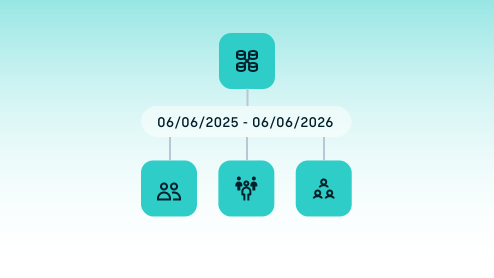
Configure targeting by individual, group, or everyone, with up to 10,000 custodians per preservation

Set precise date ranges to preserve only the relevant data, reducing over-preservation and downstream review costs

Search, export, and manage preservations from a single view, with a full audit log of every action taken
Preservation That Holds Up When It Matters
Legal teams using Onna go into every legal matter with the confidence that comes from a reliable, defensible process.

Achieve complete data capture and rendering, so your preserved data is accurate and review-ready

Stand behind every legal hold with comprehensive audit logs and tamper-proof chain of custody

Preserve only the custodians and date ranges relevant to your matter, reducing over-preservation and downstream review costs

“We wanted to have confidence that the data we’re preserving and storing is not at risk of accidental deletion or spoliation… That’s where we’re seeing the value — ensuring we’re not going to get in trouble when it comes to any of this data.”

Related Use Cases


Preservation FAQs
In-place preservation means Onna secures targeted data directly within the source system — preventing it from being deleted or edited — without moving or copying it. This keeps data secure and defensible while your normal retention policies continue to apply to everything outside the preservation scope.
Onna currently supports in-place preservation for Slack Enterprise, Google Workspace, Microsoft Teams Enterprise, and Quip Enterprise. For other sources, Onna’s Source Hold feature provides a comparable level of protection.
Onna supports up to 10,000 custodians per preservation. You can add individuals by name or email, upload a CSV list, or select “Everyone” to preserve all identities within a source.
Yes. Onna allows you to edit active holds to add or remove custodians, adjust the date range, and update the content scope. All changes are logged in the audit trail for full defensibility.
Every preservation action — creation, edit, export, and deletion — is captured in a comprehensive audit log. Onna’s in-place preservation prevents data from being altered or deleted during the preservation period, giving legal teams a verifiable chain of custody.
No. Legal teams with the appropriate permissions can create and manage preservations directly within Onna, without opening an IT ticket. This eliminates days of lag time and gives legal the control they need to respond immediately to new matters.
When a matter concludes, you can release the hold, which releases the data back to the source while keeping the preservation record in Onna for reference. Alternatively, you can delete the preservation entirely, which removes both the hold and the entry from the interface.
Yes. From within any hold, you can search across the entire preservation or within individual sources. This allows you to quickly assess what data exists before deciding on next steps for collection or review.
By preserving only the custodians and date ranges relevant to your matter, Onna helps you avoid over-preservation — which reduces the volume of data sent to review platforms. Teams using Onna have reduced collection costs by 25% and review costs by 40%.